
All your accounts and spending. Gathered automatically.
Penge connects to your bank and gathers every account, transaction, budget and subscription in one overview.Free, no ads.
Secure login with BankID or MitID. We only get read access, so we can never move your money. More about security
Why Penge and not your bank's own app
- Every bank at once
- One balance across all your accounts, instead of one app per bank.
- Categorize once
- Penge suggests a category for each purchase and sets it by itself when it is sure.
- Subscriptions found for you
- Penge picks recurring charges out of your history and follows the price.
- No ads, no data selling
- We may charge for the app one day. We will never sell your data.
139 banks in Norway are supported
And 2300+ across Europe, if you have an account abroad.






















Set up in a couple of minutes
No spreadsheets, no manual entry.
- 1
Connect your bank
The rest happens by itself. You log in at your own bank with BankID or MitID, and the connection only ever reads.
- 2
Categorize once, never again
New purchases are categorized automatically. Penge only applies a category by itself when it is sure.
- 3
Watch the overview build itself
Every new purchase lands in the right place, so the picture is up to date whenever you open the app.
Everything your money does, in one app
Four screens do most of the work.
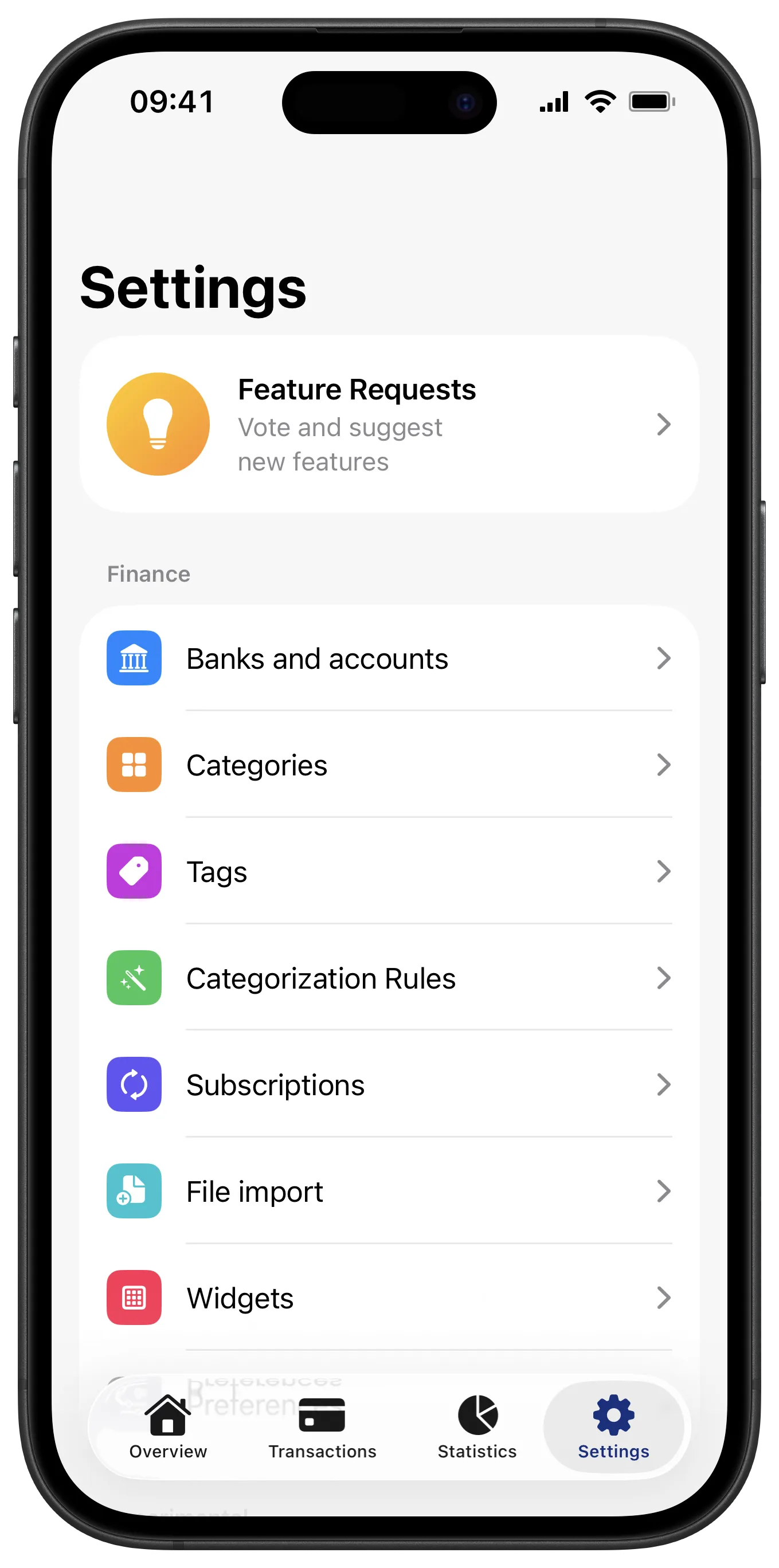
All your finances, in one place
Every account from every bank, in one balance.
- Budgets that show what is left this month
- Manual accounts and uploaded statements next to the connected ones
- One figure for what you actually have
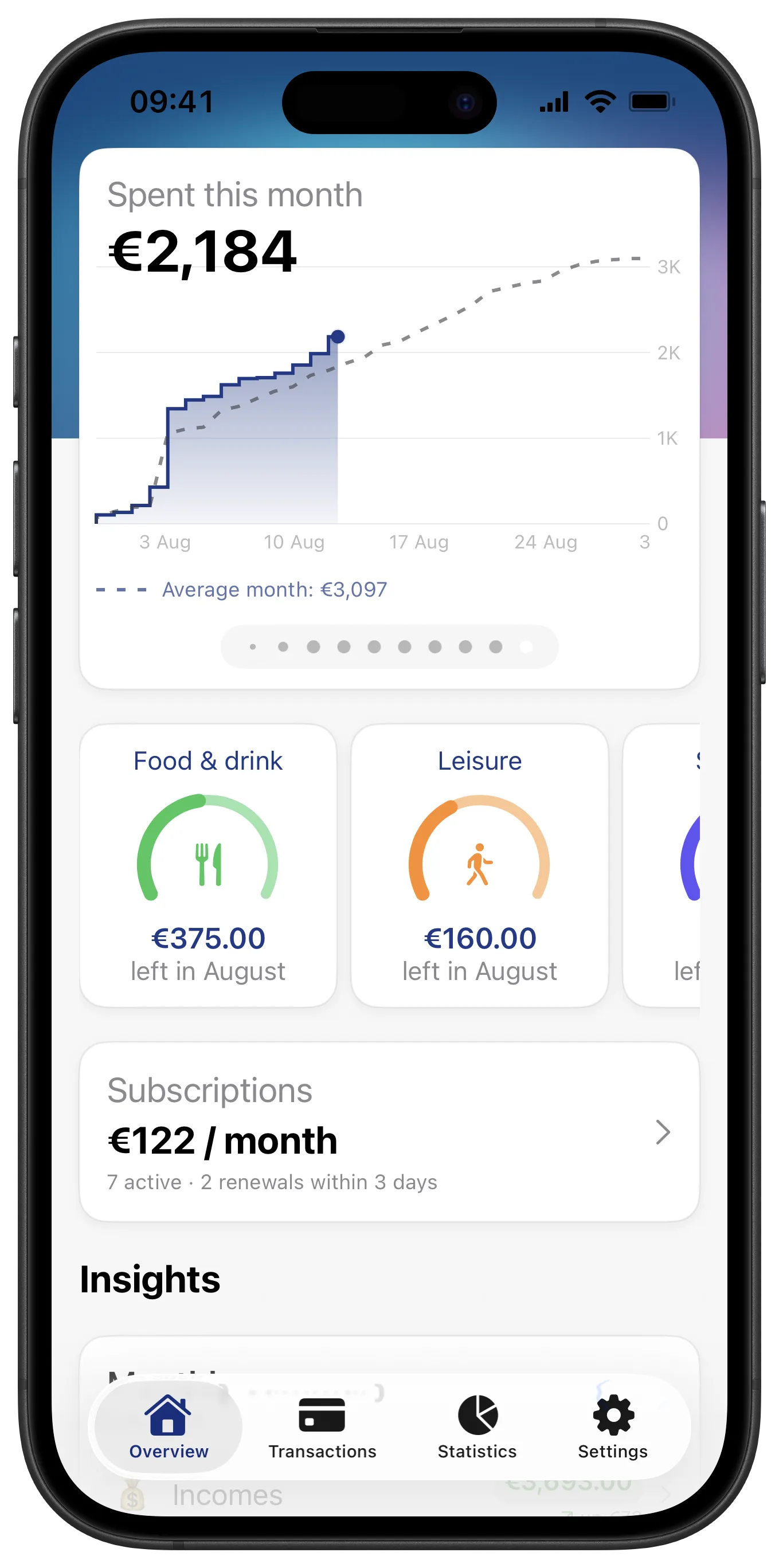
Find any transaction in seconds
Your whole history is searchable.
- Search and filter by account, category or tag
- Split one purchase across several categories
- Add a note so you remember what it was
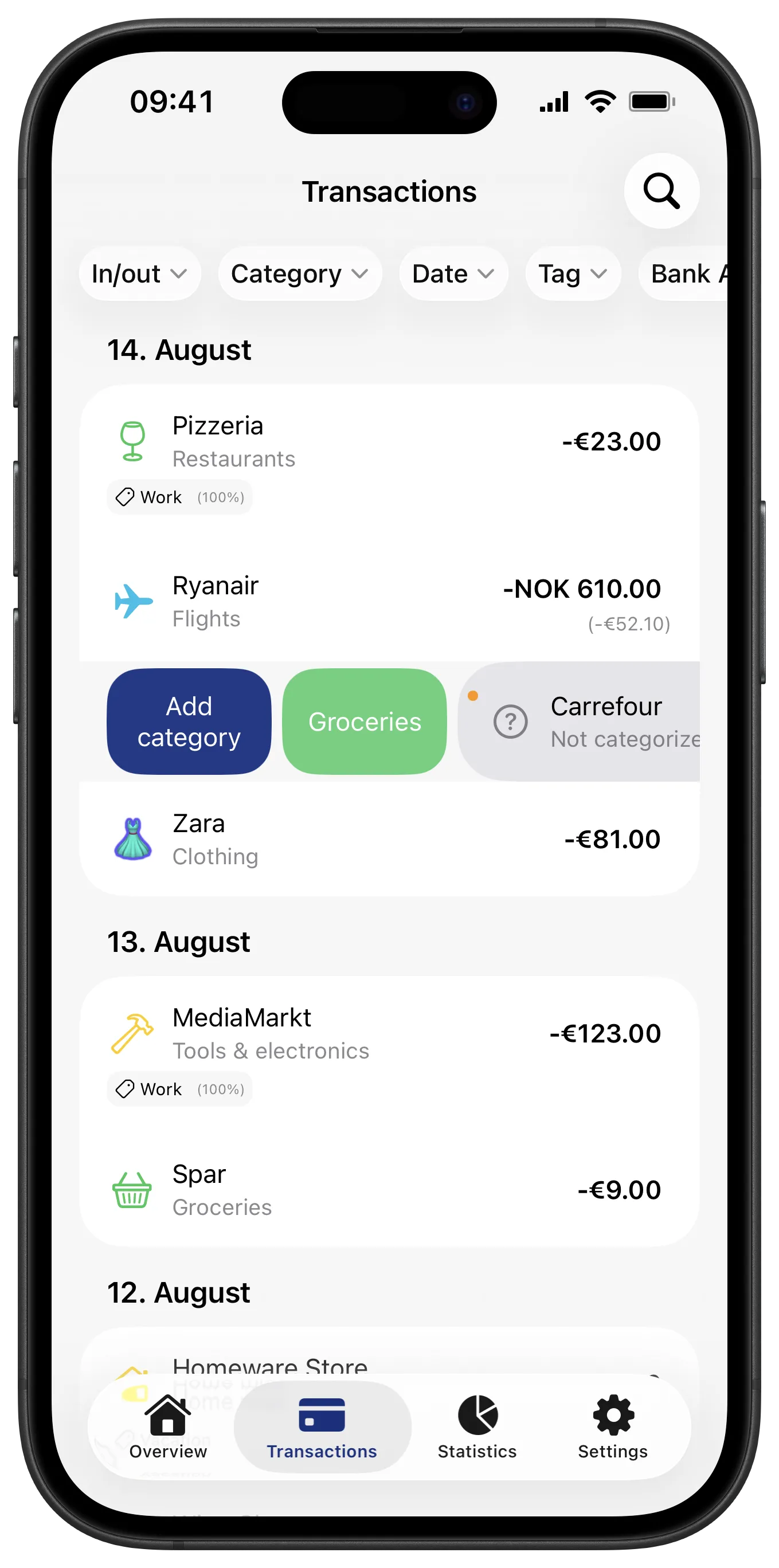
See what's really eating your salary
Compare months, categories and averages.
- Put this month next to the ones before it
- See which categories are growing
- Read the monthly average, not just the month you are in
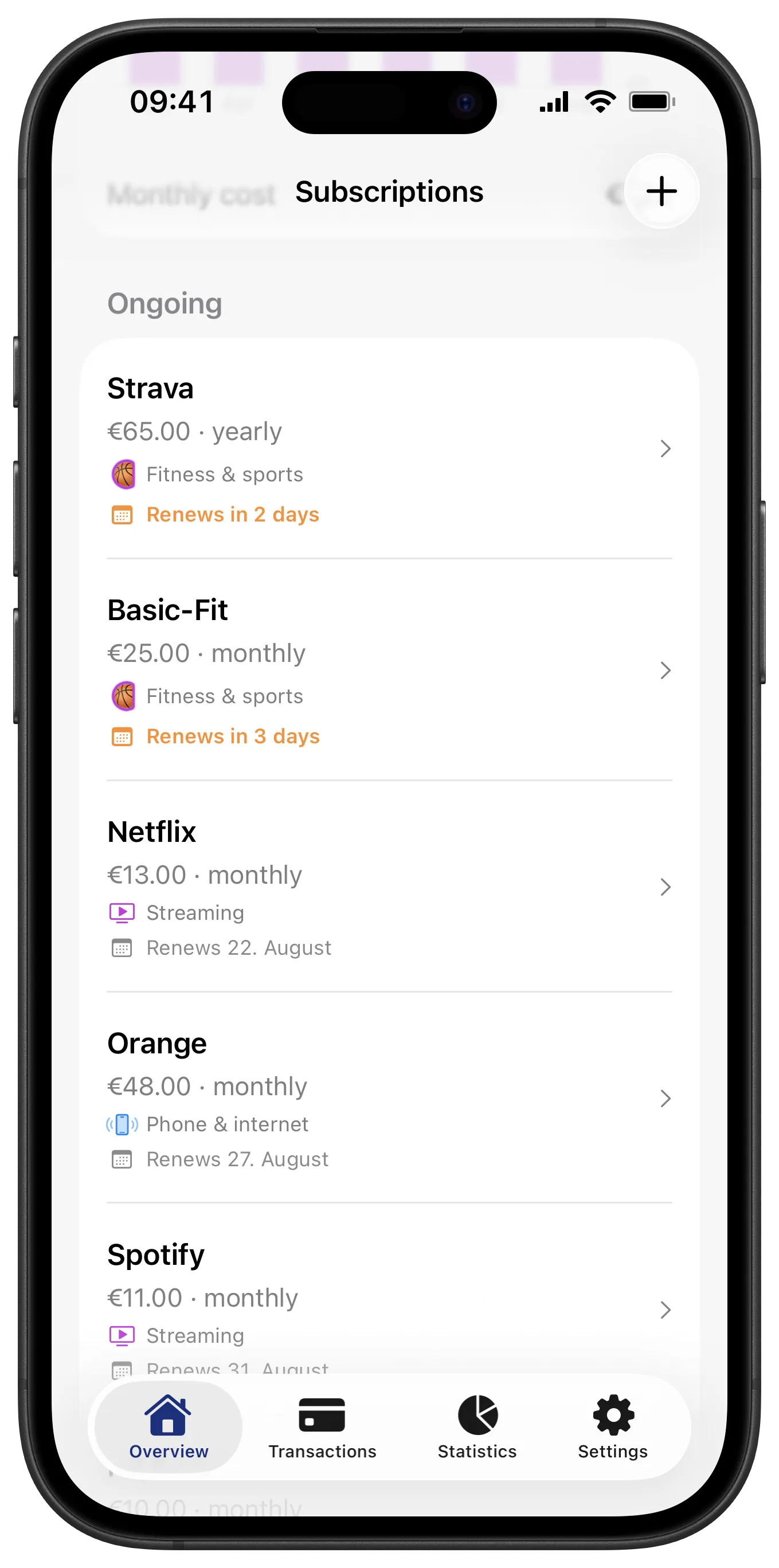
Find subscriptions you forgot about
Penge finds your subscriptions automatically.
- Picked out of your transaction history for you
- See the monthly cost and the next charge date
- Watch how the price has crept up over time
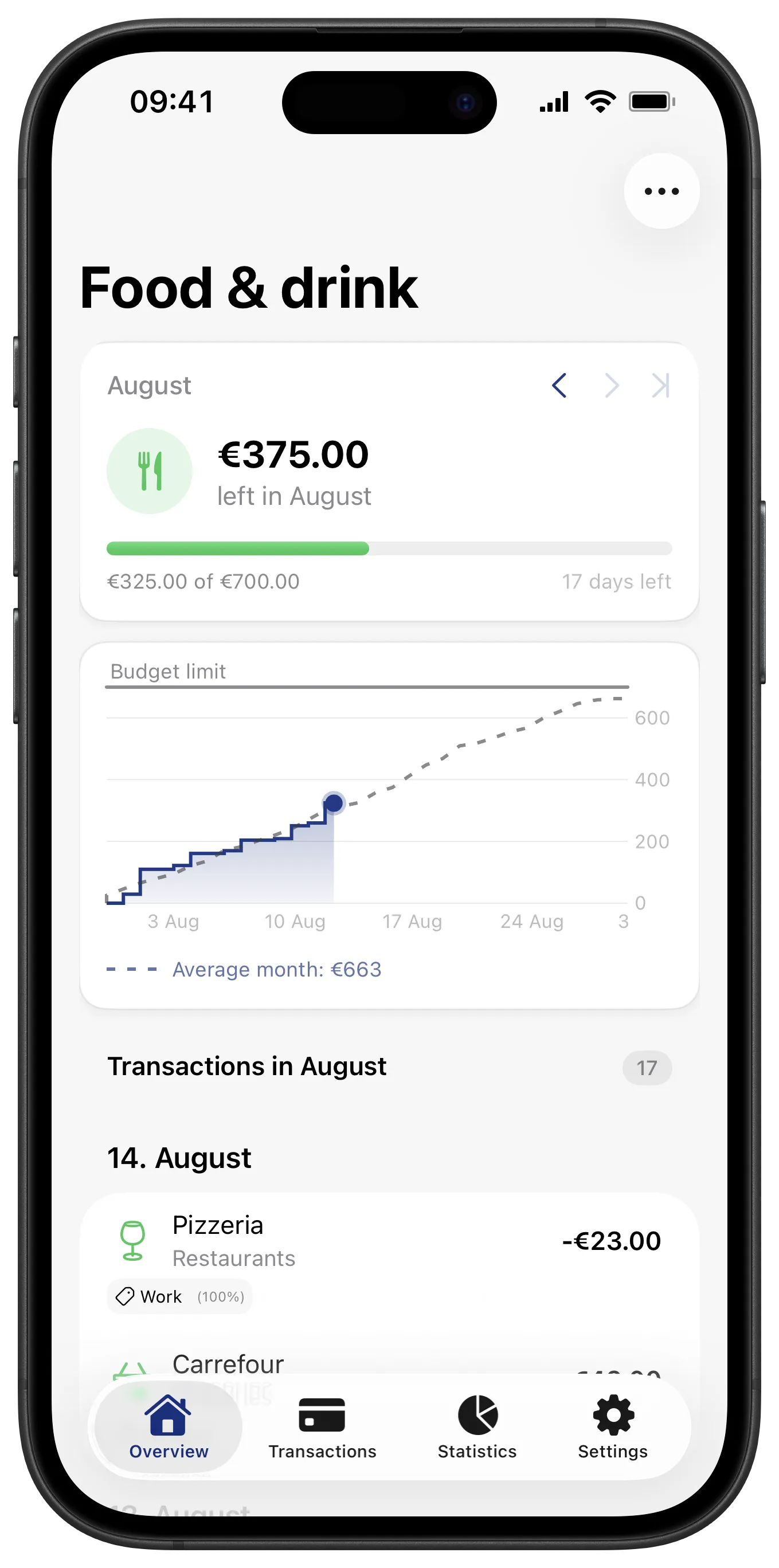
Follow the budget as the month runs
One budget per category, with your pace.
- See what is left, and whether your pace lasts the month
- Open a budget and read the transactions behind the number
- Budget only the categories you care about
That is the app. Try it on your own numbers.
Download on the App StoreNo one can move your money
The connection can only read balances and transactions. Connecting a bank account is the part people hesitate over, so here is exactly what Penge can and cannot do.
Read more about securityPenge can
- Read your balances and transactions
- Categorize and analyze what it reads
- Show it back to you, and export it when you ask
Penge cannot
- Move money between your accounts
- Pay a bill or start a transfer
- Change anything at all in your bank
- See or store your bank login
- Open Banking, regulated
- Bank connections follow PSD2, the EU rules for sharing bank data.
- Read-only, always
- Penge can read your transactions. It can never move your money.
- Your login stays at your bank
- You log in with BankID or MitID. Penge never sees or stores that login.
- Your data, your call
- Download everything you have in Penge, or delete all of it, whenever you want.
And a lot more under the hood
The rest of what you get.
Accounts and import
- Cards, cash and manual accounts
- Keep them beside the connected ones, in the same overview.
- Your own balance
- Set the balance on a manual account and Penge carries it forward as you spend.
- More than one currency
- Hold accounts in any currency, converted into your primary one for totals.
- Upload PDF, CSV and Excel
- For the bank that will not connect, bring the statement in as a file.
Categorizing
- Your own categories
- Built from a short set-up quiz, so the first month already looks like your life.
- Suggestions that learn
- Penge suggests a category for a new purchase, based on the ones you picked before.
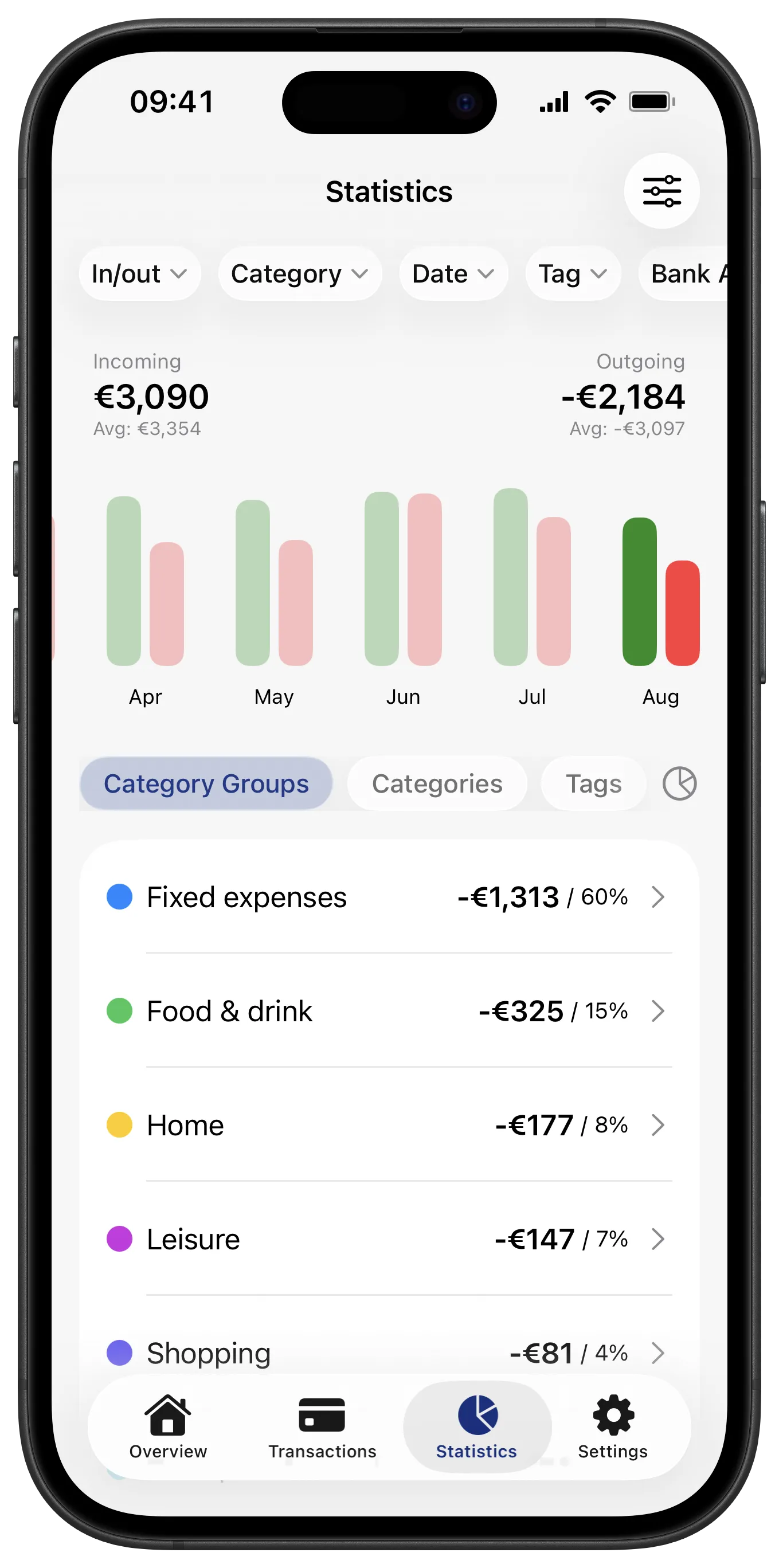
- Categorization rules
- Categorize a shop once and every future transaction from it follows.
- Edit many at once
- Select a run of transactions and set the category or tag in one go.
Day to day
- Eight home screen widgets
- Spent this month, budget progress, daily pace, top categories and more.
- Apple Pay automation
- Catch Apple Pay purchases as you make them, through Shortcuts. In beta.
- Count a joint account at half
- Set a statistics modifier on an account, or on a tag, so only the share you choose counts.
- A nudge, not a nag
- One friendly reminder when transactions have been waiting to be categorized.
Yours to control
- AI you switch on yourself
- Off by default. Nothing leaves the app for a model unless you turn it on.
- Hide amounts
- Masks every figure, in the app and on your home screen widgets.
- Download everything
- Your whole archive as one file, whenever you want it.
- Four languages
- Norwegian, English, Swedish and Danish.
What people say
Real App Store reviews from Norway, translated.
The first app I have found that actually works well for tracking spending! I use this far more than the spending overview in my banking app.
Ole A really useful app. Easy to use, and it gives a full overview of spending and income across banks and accounts.
Mogens Really nice app for getting an overview of my spending!
Kristofer Fantastic app for keeping your finances in order!
Daniel Love it! Gives me one overview of all my spending.
Vy Very clear and easy to use.
Thomas
What is Penge?
Penge is a personal finance app that helps you get a full overview of your money. Connect your bank accounts and see all your spending, transactions and accounts gathered in one place.
With Penge you can create budgets, follow your spending over time and see detailed statistics on where your money goes. The app suggests categories and only applies them automatically when it is sure, so you avoid most of the manual work.
Penge also goes through your history for recurring charges and finds your subscriptions, including the ones you had forgotten. You see what each one costs per month, when the next charge lands and how the price has changed over time.
Penge supports connections to more than 2300 banks in over 30 countries. All data is encrypted, and we never store your bank credentials.
Download Penge for iPhone from the App Store. An Android version is on the way, planned for the end of 2026.
Frequently asked questions
Which banks can I connect to Penge?
Penge supports more than 2300 banks in over 30 countries, including DNB, Nordea, Handelsbanken, Danske Bank and most other major European banks. You can connect accounts from several banks at the same time.
Is it safe to connect my bank account?
Yes. Penge uses Open Banking, which is regulated by the EU directive PSD2. You log in with your bank's own login, such as BankID or MitID, and Penge never sees or stores your credentials. The connection is read-only, so no app can move your money.
Is Penge free?
Yes. We don't sell your data and we don't show ads, so you are never the product. Running it does cost real money, mostly to sync your transactions, so at some point we may have to charge for the app or for parts of it. Whatever we do, you'll pay with money rather than with your data, and you can download or delete everything at any time.
Does Penge categorize my spending automatically?
Penge suggests categories for your transactions and only applies them automatically when it is sure. You can always adjust a suggestion or create your own categories, so the overview stays accurate without manual entry.
Does Penge find my subscriptions?
Yes. Penge scans your transaction history for recurring charges and suggests the subscriptions it finds, including the ones you had forgotten. You see what each one costs per month, when the next charge lands and how the price has changed over time.
Can I use Penge without connecting a bank?
Yes. You can create manual accounts and upload account statements, and combine them freely with connected bank accounts in the same overview.
Which devices does Penge work on?
Penge is available for iPhone, downloaded from the App Store. An Android version is on the way and is planned for the end of 2026.
Get the overview today
Connect your bank, and Penge shows you where your money went this month. No ads, and your data stays yours.
- Free
- Read-only bank access
- No ads